




UPDATE: For more info on how to install the Logitech Touch Mouse app, check out our video walkthrough.
iPhone and iPod touch owners: If you haven’t had the chance to check it out, go to the iTunes App Store and download our cool new Touch Mouse app. It turns your iPhone or iPod touch into a wireless trackpad and keyboard for your computer, so you can point, click, scroll and type from afar, in any application, on a Mac or PC.

It works over Wi-Fi, so you can use it anywhere in your house and is a great way to control your computer when it’s connected to your TV and you’re lounging on the couch. And to make typing easier, text is displayed on the screen of your iPhone or iPod touch as you type, so you can see what you’re doing without having to continually look up and down.
And the best part is, the app is free!
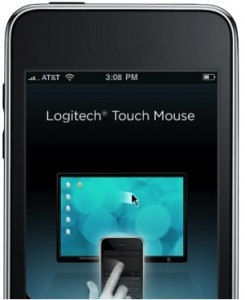
Download Touch Mouse in two-steps:
1) Get the Touch Mouse App for your iPhone or iPod touch from the App Store
2) Download Touch Mouse Server software and install it on your computer.
You’ll find instructions when you download the Touch Mouse Server software on Logitech.com.
Once you’re up and running, Touch Mouse will allow you to take advantage of the following features:
- Multi-touch trackpad with the option for two or three mouse buttons
- Two-finger scrolling
- Keyboard with Control, Alt, Command/Windows keys
- On-screen text display while typing
- Show or hide the keyboard at any time
- Trackpad and keyboard are available in landscape and portrait modes
Give it a “scroll” and let us know what you think!


Great. I like such creative applications. Works very nicely 🙂
It works great. Nice app. 🙂 I will try it at work.
Touch mouse server keeps using my loopback address (127.0.0.1) which prevents me from connecting. Any ideas?
can we get some docs on the protocol used underneath ?
then we can port it to linux as well 😀
Yeah the same as above, cant connect to the server and prevented from downloading..
This is an awesome app. Logitech should release a bluetooth dongle for my PC that the iPhone can pair with and I will buy 4 of them. Can iPhone apps access bluetooth? Surely, get on it.
Excellent app. Well done.
i have no idea when it’s released.. might be yesterday? Anyways.. i can’t get it to work.. suggestions are welcome.. brianjes2@hotmail.com
it does find my pc on the network
program is added in firewall
still.. can’t connect to my pc. with offcourse program running , (windows 7, 32 bit)
mac app server does not work. iphone app can’t find server and doesn’t like my i.p. address.
what to do, what to do?
Are you using OS X 10.4? If so, it’s not supported. The support requirements are incorrect and are being fixed to say 10.5 or 10.6.
Works flawlessly, thanks.
Any possibility how to make this work with a PS3?
Does touch mouse app conflict with existing logitech bluetooth mouse. I have di novo and mx5500? Thanks
No Download for the “Server Software” 🙁
Only thing it is missing is some security… I wouldn’t like just anyone who happens to have an iphone to be able to connect to my Logitech touch mouse server… would be good if you could set a password on the server that you need to connect to it
Works great for me, though the mouse is a lot more sensitive than my laptops usual trackpad.
What I’d really like to see is for apple to make it easy for developers to make their own custom keyboard and mouse programs that utilize the bluetooth chips in their devices. A gesture based keyboard/mouse combo where you just had to slide your fingers a little to press any key would be money on the iPad.
When will Thisbe available in Canada?
The app store says this app is not available outside the US? Why can’t we download this app in Canada?
When will this be available in Canada?! I was really excited about this app until I got that message.
How secure is it? What’s to stop someone with a random phone just connecting to your computer, or someone snooping on all your typing?
why is it not available in canada ?
Great idea for a HTPC accessory. How about listing the app in the Canadian version of the AppStore?
Great app. Looks like a solid competitor to Air Mouse Pro. Any chance for some basic media control keys?
When can we expect an Android Version?
Palm Pre / Pixi version please!
US only? Can we get this in the Canadian app store? 🙂
Where can I download the server app? http://www.logitech.com/touchmouse seams dead by now.
After downloading the app I have to say it’s great.
By the way, the url for the server is missing a “/”. It should be http://www.logitech.com/touchmouse/
Are there plans to a Window Mobile versions or Android ???
( or someone knows something similar )
It would be nice if this app was available in the Canadian iTunes store… I can’t see why it wouldn’t be available outside the US. Please help!
Hey Logitech, where’s the love? Why not let use Logitech users in Canada have access to this app?
What ports does this use?
can you incorporate this into the SetPoint software?
i have Logitech keyboard and G5 mouse, both are using SetPoint and it would be fantastic if iphone app also able to connect to SetPoint.
Will there be an Android version? [please say ‘yes’!]
When will this be available outside of the US iTunes store? It would be nice to be able to use it up here in Canada…
If only I knew about this app being released today, I wouldn’t have spent USD120 on the Logitech DiNoVo mini! Arrrgh! Anyways, great app Logitech! 2 thumbs up! Works great on a Mac! Though there were times when the mouse selected some text and I couldn’t deselect it when clicking elsewhere. Other than that, the only down side is there isn’t a up-down-left-right pad 🙂 @Paul Cherry agree with you on the BT dongles 🙂
Can we get something like this for the n97 / 5800 please? I can understand the iPhone/ iTouch are prob better size, but I wanna be able to control my compy!
App looks great, now make it available in Canada!
Does not work with multiple NICs very well since you cannot tell it which IP address to use.
Why is this app only available through the US store? Please make it available everywhere!
There are alternatives out there, but I am a Logitech fan and this looks excellent. Unfortunately it doesn’t seem to be available on the Canadian iTunes stire. Coming soon?
Now, if only it was available to the rest of the world. App store in Canada doesn’t have it yet. When will companies start releasing free stuff to everyone, not just the US.
Bring it to Canada PLEASE!
Booooooo…not available on the Canadian app store….
=(
It seems to be only available at the US store.
Can you make it up to the Canadian store too?
Tks!
Nice. I like how the keyboard in this includes full Ctrl, Alt and Win key functionality, as opposed to RemotePad’s, which doesn’t include those keys.
Why is this not available in Canada?
The link to Touch Mouse Server software seems to be broken 🙁
I have something like this on my android as well it works with the touchscreen and keyboard. I use it to control my laptop when its hooked up to my TV. it’s remotedroid also free.
I can’t connect either. Also Windows 7 32 bit. Oh well, it was a nice idea while it lasted.
Any chance this will be done for the zune as well? This is exactly the kind of software I’d want on one but I dont’ really want an ipod touch. (Looking at a zone HD or possible the rumored zune phones on the horizon.)
This is a great app to drop on us for free. I still prefer AirMouse Pro though. If you were to work in Hulu desktop and Media Center specific buttons, I think this app would own all the other iPhone apps. No worries though, I still buy all my mice from you! =)
Hi.. this is great and all.. but it would be amazing to see this app work with the Harmony family’s wireless extender.. I would love to be able to use my iphone with my entertainment system via wifi.
Food for thought.
Any plans to release an Android version?
Any Andriod support?
Any plans for a Windows Mobile version?
Not for Canadians though eh?
Only in the USA? Where is the Canadian version on the Apple Store Canada…
so it’s not available in the Canadian App Store?
Server app does not work on a ppc mac.
Will it work with the PS3 is all I need to know ?
So basically a modified version of Synergy2 ( http://synergy2.sf.net ), built for the iPhone/iPod Touch. Nice.
Is there a version for android on the way as well?
i’d very much enjoy this app too!
Not available in Canadian Apple Store 🙁
Is there any way to make the link exclusive to an iPhone, everyone in the house can now control my PC. But it works beautifully!
Caroline, check your System Preferences –> Security –> FIrewall.
Your firewall might be switched on (you want it off….or get a tech savvy friend to set up a firewall rule for you).
Working extremely well on a 1st gen iPod Touch and Windows Server 2003.
Question, is there a way to have the app showing the virtual mouse buttons at the bottom of the screen?
Another feature request: Can we get the touch mouse server with authentication capability (each time a client connects)…or maybe ipod to touch mouse server pairing (one off)?
Another feature request: Can we have customize keystrokes/key-combo capability on the client app? So the use can set, say, “ctrl-alt-del”, “Alt-F4”, “Apple Command-Q”, customized keyboard combo shortcuts?
what, no support for the Canadian itunes store?
It would be greatly appreciated.
Want to try this app… but can’t get it in Canada. 🙁
BOO!
@Matthew: TCP and UDP 4026 on Windows
@Arun: There’s a field just above the “Help” button of the client app for IP address entry.
Love to try it! Can you add it to the Canadian App Store as well?
to bad not available in Canada.. was all excited until it told me NO! Please list it in the Canadian store soon 🙂
Which port does this program use?
I have to create a rule through my firewall otherwise it doesn’t work.
Never mind, got it.
4026
Please include the Server software into SetPoint software…I don’t want to install any more software, if I already have SetPoint for my ‘real’ Logitech mouse.
Please make it available in Canada without having to break iTunes TOS. I’m tired of these unnecessary blocks on Canadians. We have a free trade agreement right?
After downloading the server app does not seem to install, I double click and nothing happens. Mac OS 10.4.11
The mac app server doesn’t work if you have vmware installed. It is showing an virtual IP as it’s “this computer IP address” in the settings. Unfortunate that you can’t select the adapter.
“on a Mac or PC”
PC too? So it works on Linux as well? A Mac is not a PC?
Why don’t you stop using the stupid Apple marketing terminology and start using the right words?
Mac or Windows would be perfectly understandable AND correct at the same time.
GRemote works on Android and Windows mobile. Havent tried it myself though.
This looks really nice! I can’t wait to get this app in Canada!
webOS version please!
It’s not available in Canada?! Come on!
Will there be a Linux version of the server?
No screenshots or video? No Canadian support? Disappointing.
Mobile Air Mouse [iPhone and iPod Touch] has been out for a long time and is very very good.
http://www.mobileairmouse.com/
I’m in Canada, so I’ll stick to Mobile Air Mouse.
Hello! Think you could add…
1. A version for the Maemo 5 OS (ie the Debian Linux for ARM based distro that runs on the Nokia N900). Its great to see cool apps, but I’d love to see them on a platform I’ll actually use. Others have asked for Android and that’s a step in the right direction, but don’t forget about Maemo! It is easy to program for in ANY language!
2. Linux support for the server.
Thanks!
Mega Mouse supports Linux.
It also uses the computer name to determine where to connect.
This is going to be one heck of an iPad application…I love it on my iPhone though! Works wonderfully!
Please make it available in Canada!!!
it’s a great app, and it’s free! way better than air mouse and the like.
just one thought: in order to use this as a remote control for a media
center, please add “arrow key buttons” for navigation. and the enter
or space key, while you’re at it… 😉
Would it really have been so hard to release it for the states and canada at the same time?
I don’t think we’re really asking for a whole lot here..
any chance of a bluetooth version that can be used with a laptop or ps3?
Completely unusable even on a home network. Tried it at work (technology staff) and, as it is at home, it’s smooth for a few seconds, the laggy for another few.
Fix it and you’ve got an awesome app on your hands.
Can you give us a target of when we can expect it in the Canadian App store???
And, duh, why does it need a server side app? Don’t they make blue-tooth enabled keyboards and mice? Why not just jump onto that API, then you don’t need WiFi OR the client software…
Um. when I try to download the server app I get a Not Found page.
Would love for this to be available in Canada.
Does it hurt to make it available for Canadians?
I can’t believe this app is not available to us Canadians.
Canada! Very disappointing that it’s not available for us. >.<
So if I am using Boot Camp to dual boot is that fall under vmware definition.
there should be some kind of login needed to connect to the computer. a password or something.
i would love to always have it ready to be connected to but wouldn’t want to leave the app on without knowing that i am the only one that i can control it.
Here’s another vote for this app to be available in Canada.
Love the app. But these no security. At all. It would be nice to have a way to add a password to log in, and maybe some encryption. It’s not useful in the office until it has something to prevent my neighbor from taking over my mouse. (Good prank though)
Even without that, it’s a nice app. Great for my media center computer.
Wah! I’m from Canada! Wah! How aboot that?
Heh, nice app but the timing sux for me. Just got my USB dongle / wireless trackpad/keyboard from USBGeeks for $60. Two days later I find out there’s a free option! Still very cool product and nice pricing!
http://www.logitech.com/touchmouse is down.
Not Found
The requested object does not exist on this server. The link you followed is either outdated, inaccurate, or the server has been instructed not to let you have it. Please inform the site administrator of the referring page.
Tab key would be really nice to have
Is the site down cause im trying to download the software for the computer and its not working
There was a temporary problem with our web server, but it should be working now.
Android versions:
http://www.remotedroid.net/
http://www.gmote.org/
what good is the software when you can’t download the server software(client) on the pc… 404 error
gmote for android does the same thing flawlessly…
Can you make an option to disable the buttons, also an option to move the buttons to the bottom? the clicks on the top of the screen is just not my touch pad experience.
after all this is a great app! keep it up!
It would make so much more sense to have the buttons on the bottom, since that’s where I’m used to them for my laptop’s touchpad.
Why the heck is this only in the US store? What reason could there possibly be to block this in Canada?
@james: The mac Touch Mouse Server works even when you have VMWare Fusion installed. The process binds to all host IPs, not just the virtual ones even though that’s what’s shown in the GUI.
@Shizzire: Because not all desktop systems have bluetooth, whereas desktops connected to a LAN that also has WiFi AP is a lot more common.
@Gregg: You’ll be fine. The previous vmware statement from james is not an issue.
What about Canada? Please release to Canadian customers.
Seriously? Get this in the Canadian App store…. Right away.
This app is great, but it needs a 4 digit pairing security protocol so other users can’t just log in to another persons computer.
Why is this app not available in Canada?
It not an the Canadian i Tune store so said.
Cool app. Easy install. Perfect for media control. Now I can use the same controller at home and work. Great addition to all my logitech hardware.
ADD IT TO THE CANADIAN APP STORE!!!!
Canada. Come on!
Like everyone else…Canada?
Add it to the Canadian store!!
cool. now give it wake on lan functionality.
What about us Canadians?
Nice app! Would be even more useful if you could add an arrow-mode also, to control ex. a Voddler-client; needs arrows + Enter-button
when will this app be available for android?
Please add a Canadian version!
As usual, left-handed support sucks. I have to manually switch back to right handed mouse layout otherwise normal tap just acts as a left click and brings out context menu… this is really annoying and spoils otherwise perfect app.
Voting for Canada as well..
I can honestly say that if this was to work with a PS3 (via official Sony firmware update or installer that you could put on a USB stick) this would be absolutely epic.
If Logitech could twisty Sony’s arm it would be absolutely brilliant!
Canda store? We are waiting! 🙂
Canada
Canada
Canada
Canada, Hey!
i can download the app, but the link to the software does not work.
Is it because i am in europe?
The link may not have worked because of a server issue we had. Or, you may try changing the location of your Logitech site to the US or UK sites, then try downloading the software again.
BUMP for Canada. 😐
Is their enyway 2 download it in Canada not trough the AppStore
I am sitting here typing this on my g15 gaming keyboard, clicking with my g9 laser gaming mouse, listening to music play louder then heaven from my z2300’s, oh wait I’m canadian I guess logitech doesn’t give a crap about me, fine I’ll drop all my logitech stuff and move to like Razer or something, get this thing in the canadian app store, thats BS that it isnt
I use the Air Mouse app – is a couple of quid/dollars but works brilliantly if you want something with more functionality.
First of, congratulations for a version 1.0 the quality is quite good, esp. the app is currently – still free.
I have tested it today my 3G iPhone on a Mac and WIN PC XP(in our office), here a quick feedback. I was using this in stead of my regular mouse.
Pointer jumps : Tthe point jumps if i need to lift my fingers.
(e.g. i need to move the point from left to right, but I have already at the right egde of the pad, so I lift the finger and place it somewhere on the left, in this case the point jumps already a about 20% further right), in that case in need to move my finger back to left) I observed this in XP I have tested that on OSX so.
In an office envirionment the pointer movements “stall” for time to time a bit, I guess that is due to the WLAN setup, and the routers are 10 – 15 meters away.
Improvements:
Pairing via bluetooth:
I think that would be a more robust and a direct point to point connections, and much easier to install than in an office envirionments (no fserver to be installed, no firewall issues etc.) (I understoodt that with SDK3 that is possible)
– Option for no buttons:
Like on the Macbook Trackpad , an option for hiding buttons would help to get more space to move and scroll.
– Add more 3 and 3 fingers swip and scroll.
which can be linked with context activities . e.g page up, page down, switch applications back and for.
Thanks for keeping this updated.
Cheers
When will the server software download page be back up?
Nevermind. Googled for the download and got this link that works…
http://www.logitech.com/index.cfm/494/6367&hub=1&cl=us,en?osid=13
Another vote to get it into the Canadian App Store. Please!
multiple NICs on my PC; application coming up with the wrong one.
any chance making interface user-selectable?
It would be nice if you put it available in Canada
Please add this app to the Canadian store!!
Make it work via Bluetooth aswell… almost all of the new Laptops now have Bluetooth and it would serve as a good Bluetooth mouse.
!!!!!! Please add to the Canadian iTunes store!!!!!
!!!!!! Please add to the Canadian iTunes store!!!!!
I am still not getting it to work I get the .dmg and install the disk, I then open the disk and get the iTouch-Server icon but no itouch-server.app file as described to open. Double clicking the icon does nothing, I am using and older first generation MacBook OS 10.4.11. I see that the windows versions of the server app have 32 or 64 bit versions but not the Mac OS version could this be the issue?
Sorry about this, but it doesn’t work on OS X 10.4 (despite what it says). The system requirements will be corrected to say OS X 10.5 or 10.6.
Please put this app on the Canadian iTunes store soon !!
Can’t find it in Canada…..?
Gregg by double clicking the Application icon you will see a new icon for the iTouch Mouse appear in your menu bar, there is no application window or icon in the dock. Hope this helps.
This is useless, I tried it & it does not work . The error message is that it can not find my machine. It can find the machine but it can not connect. Go figure.
Why not in Canada?
This needs some form of authentication. Currently it will allow anyone who can guess your IP full control over your PC. Fix. ASAP.
I would pay good money for an add-on that is a good media center remote
Please add to the Canada itunes store as well Thank you!
Thanks everyone for all your comments. Trust me – they are being read! I’ll be posting replies to some individual comments soon, but I’d like to address all the “not available in Canada” comments right now. Unfortunately in North America it’s only available on the US App Store, but there is a workaround if you’re in Canada (I’m sure you’ll let me know if it doesn’t work…).
Click on the link below (or paste it in your browser), which should open iTunes to the Touch Mouse page. To download the app, click on the “Free App” button underneath the Touch Mouse icon. You can transfer the app to your iPhone or iPod touch the next time you sync with iTunes.
itms://itunes.apple.com/us/app/touch-mouse/id338237450?mt=8
We’re noting the other feature suggestions, so stay tuned…
-Andy
UPDATE: This workaround is not working, I’ll be posting updates soon below.
Looks like a great app, unfortunately it is not yet available on ITunes Canada, what is with that?
Your work around does not work requires you to log in with United States account to DL it…
!!!!!! Please add to the Canadian iTunes store!!!!!
Andy Hengel workaround does not work like Cory said.
Great App! Features like computer volume control, media control and a way to hold and drag objects would make my iPhone work as a remote. I would really like to see them in the next update.
Thanks
Nope, the trick doesn’t work; as mentionned by Cory, you still need a US account. Canada please!!!
On the iPhone / iPod Touch, the mouse buttons (2 or 3 buttons) should be designed at the bottom of the screen as we normally use the pointing finger and middle finger to control the mouse cursor and normally use the thumb to click the buttons in this combination, as it is very hard to drag an object in the computer, I need to use 2 hands to do it.
Also, on the server connection page, it is better to have saved list of the server as this software should be designed for mobile users, especially for the mobile devices, e.g. laptop, it is good to have a list which memorizes all computers with different IP addresses
How long until you are able to see the desktop on the iphone and navigate? Similar to a remote desktop for the iphone?
I have downloaded the software and when I open the app on my ipod touch it sees my computer name under servers, but when I click connect it sits forever saying “Connecting…” then times out saying “Connection Failed! Remote host is unreachable.”
I checked my windows firewall and it’s under the exceptions list – can someone please help??
Cory, windago, Simon and anyone else who attempted the workaround:
You’re right about it not working, and I’m sorry about that. I’m looking into this and will be back shortly with an update.
– Andy
It’s not even on Appulous yet. I’m entirely disappointed.
How about bluetooth support?
To those who say it won’t connect: disable your Windows Firewall and try again. That fixed my issue. (Next step would be allowing the application through the Windows Firewall manually.)
Ill be leaving this page open till i can get it in canada!
lame question: do you need OS 3.0? ive been pretty lazy about updating
i am using this right now. excellent…. can you make a build of the server app that runs on AppleTV? I tried a few things but can’t get it to work. I’m assuming it just needs to be rebuilt for Tiger.
This would seriously kick butt for AppleTV.
I am having the same problem as Gregg; I download the Mac OSX version, open the file and move iTouch-server.app to my applications. When I double click, nothing happens. The icon does not show up in my menu bar. Any suggestions?
If you have OS X 10.4, it won’t work. Sorry about this – the system requirements are being corrected to say 10.5 or 10.6.
Awesome app, been using it on my Macbook Pro + Boxee.
Only thing is…I think the two finger scroll is borked. It works, then stops working.
Great concept, movement delay and not immediate response to clicks main problems
If fixed will be A+
Thanks Andy Hengel
I am not getting it in my menu bar.
The only thing I’m missing: please make Chinese (handwriting) input also work, not just the English keyboard. Then, it would be ABSOLUTELY fantastic…
I was wondering about getting a Magic Mouse. No, definitely not, Touch Mouse does what I wanted. Give it support for more languages (as the iphone/ipod touch supports), and I think I’ll have to use Logitech cameras and the apps for that just to thank Logitech for it (and because they are good anyways 😉
it doesnt work at all.
i got win7 and os 3.0 and iphone 3g
nod32
anyone? help.
Working great! Love it! 🙂
Wow!
It works and its free!
Only one think, Id like a Linux version, possibly with Debian package.
Pliiiisssssss!
Does logitech have something against Canada ? 🙁
surely this kind of app is not blocked by export controls ?
There seem to be a number of people having problems getting the server software to run on Mac OS 10.4x. Can you please clarify the System Requirements? The programme behaves suspiciously like an OS 10.5 app on my Mac running OS 10.4.11….
The requirements will be corrected. It only works on 10.5 and 10.6.
Great concept and a much needed app. Unfortunately the performance makes it almost useless. The delay is significant and inconsistent. However, for a few minutes it worked almost perfectly so maybe there’s hope. I hope this gets fixed and then it will be the best app I’ve ever got.
It doesn’t work. It can connected to my mac. but doesn’t response. I try many times. why?
Still waiting for any news on it becoming available Canada
@Gregg
My comment was not posted because I called this lame for not supporting 10.4.11 when there is no release specification in the product overview. It won’t work on 10.4.11 only 10.5 and up, and they clearly have no intention of making it compatible.
i downloaded and it is not getting started. it says remote host unreachable………….
i reinstlled everything…. same result…….. pls help
When will it be available on the Canadian App Store?
Please get this into the Canada iTunes store. This sounds wonderful.
Have everything installed on both my Windows Vista pc and the iphone, the icon is there with the yellow X and the windows firewall is completely turned off, I see my local server in the app, but I continue to receive the “Remote host is unreachable.” message.
Is there a port or setting I need to adjust for my router?
Please add to Canadian Itunes store
It says on the app store: Mac with 10.4 or higher, But it doesn’t work…..
“You’re right about it not working, and I’m sorry about that. I’m looking into this and will be back shortly with an update.
– Andy”
Wonderring if you could define ‘shortly’ for us?
Unfortunately it will be limited to 10.5 or 10.6. We are updating the system requirements.
Can you guys make it work over USB wired connection as well? Like have a switchable option between WIFI/USB? It makes sense to use it that way when I am at my laptop, and switch to wireless when I am not.
Hi Andy,
i have tried evrything to connect logitech mouse with pc. it still displaying that remote host unreachable. any thing to do with setting…….
or there is some issue with apps.
not available in Canada?…ugh.
“Your account is only valid for purchases in Canadian iTunes store” arg.
I am trying to download the software for my pc – windows xp. There are two files that I could download – touchmouse1.0.exe and touchmouse 1.0_x64.exe. What is the difference and which one should I use?
The confusing part…. It depends on whether you have a 32-bit or 64-bit version of Windows. Chances are you have a 32-bit version, so the easiest thing to do is download “touchmouse 1.0.exe” and run it. If it doesn’t install and gives you an error, try the other -x64 version.
And if you want to get technical and check whether you have a 32 or 64-bit version of Windows, instructions are here: http://logitech-en-amr.custhelp.com/cgi-bin/logitech_en_amr.cfg/php/enduser/std_adp.php?p_faqid=9118§ion=troubleshoot&crid=428<_product_id=130&tabs=1,3,2,4,5&cl=us,en&p_search_text=MX%20%20Revolution#xp
Not available in Canada’s iTunes app store 🙁
When is being released here?
Bobs
Amazing. I love technology! I can totally seeing myself setting up my computer projector and controlling that business from afar.
Love it.
for those who have been strugling with “cant reach host” message on windows, just allow all networks for Logitech on firewall. hope this helps
Andy,
Can Logitech make this available on the Canadian iTunes store. Not only are we forced to live in igloo’s up here, but we aren’t able to download apps that are available only on the US store.
Thanks!
Hey Andy,
I clicked on your link to download the software on my computer. I filled out all the necessary things but whenever I go to click the button to download it, the button isn’t there.
Any ideas on why that’s that way?
Thanks a lot! 🙂
Hi. The download button “should” be at the very bottom of the page where you select which OS you have, etc. Scroll past all the instructions. If it’s not there, let me know what OS you have. Thanks.
For the canadians… I just tried air mouse pro. 2 bucks but very well worth it!
Combine air mouse with boxee an your gold. I just wish I had this before I ha bought my logitech mini divo
I was successfully able to make this application work in less than 10 seconds. In fact, I’m typing this message on my iPhone right now. So far, great for watching Hulu.com. I’ve moved this application to the first page of my iPhone Home Screen. I’m curious to read how other people are going to use this app.
This is just AMAZING.tyvm
Andy here, from Logitech. I thought I’d address a few of the most common comments in one place…
Availability in Canada. Your voices are heard! I’m sorry that we weren’t able to post in on the Canadian App Store from day one, but we will be making it available to you. I do not have a firm date, but it should be available in March. Check back here and we’ll let you know when it’s ready.
Mac OS Support. My apologies to those of you who tried it on OS X 10.4. As you discovered, the Touch Mouse server doesn’t work on 10.4. It only runs on OS X 10.5 or 10.6 (and Windows…). The support requirements will be corrected.
Problems connecting to the server:
– The number one problem I’ve seen from systems I’ve personally looked at is the iPhone/iPod touch is not on the same WiFi network as the computer you want to control. Check your iPhone and computer to make sure they are on the same WiFi network.
– Make sure the server app has been downloaded from http://www.logitech.com/touchmouse, installed, and is running. To start the server on Windows systems, go to the Windows Start Menu and select “Logitech Touch Mouse Server .” On Mac, you can find it in your Applications folder – (look for iTouch-Server.app).
– Another potential causes could be your firewall or anti-virus software (you’ll need to add an exception for Touch Mouse… check the user’s guide for your firewall or anti-virus software for instructions on adding exceptions).
– Some networks will require you to manually enter the IP address shown in the Touch Mouse Server app (although this isn’t usually required). Right click on the server app in your system tray (Windows) or Menu Bar (Mac), select “Settings,” and you will see the IP address of your computer. Enter it into the Touch Mouse app (the window to enter the IP address will appear when you launch the app).
Delayed or choppy response is usually caused by high levels of network traffic. Normal wireless mice and keyboards have dedicated wireless connections that are designed to work without delays or interruptions. Wi-Fi was not designed with mice in mind, so delays are difficult to control. Trust me – this was a key area we looked at while developing this app.
Finally, thanks for all your suggestions and feature requests!
– Andy
http://www.logitech.com/touchmouse isn’t working. Is there a mirror available?
Thanks for the update Andy, great to see Logitech reads their customers’ comments and helps out.
Looking forward to it here in Canada!
Rick
Sorry to hear it is not going to work for me. I guess i would like to know if anyone has successfully got it to work in Ubuntu via WINE I have not used WINE myself so I do not know much about its limitations.
http://www.logitech.com/touchmouse not working for me either. But this link seems to work:
http://www.logitech.com/index.cfm/494/6367&cl=US,EN
Hi,
It’s a great App, very usefull for MediaCenter PC in the Livingroom.
The only thing that i miss are navigationkeys (up, down, left, right, enter, backspace).
These six keys would be everything i need to navigate thru my windows 7 mediacenter.
regard
Marius
Can I get this in Android green?
Yea I definitly want to know if this can be got to work on Linux, if so I’ll defintly be downloading when I get home.
Tried it on W7 pro 64. It works for about 3secs (very juddery) and then somehow my wireless connection drops off. Cannot reconnect to my router until I restart it. Tried it a few times, same thing happens.
Good try, I love logitech’s stuff and innovation.
i just tried the MouseTouch iPhone app which works great – but a bug makes it all but unusable for me. My normal mouse is set up as left handed (buttons swapped in XP). Although MouseTouch allows for button switching, this leads to the touch pad area to act as right-click. So every finger tap on the area results in a context-menu pop-up. The only workaround I found was to swap the buttons again in Windows, which is not very handy.
Please adress this concern in future versions!
System:
iPhone 3GS, v.3.1.3 (7E18)
Windows XP32
MouseTouch Server 1.0
My company does not allow the connection of “foreign devices” to their network, nor will they allow users access to the local firewall on work computers.
Any chance that this could be done with bluetooth as well. The latest iPod touches and iPhones have bluetooth and this would eliminate the problem with not being on the same WiFi network.
awsome! thank you so much for this!! im lying in my bed and posting this, is like heaven! ^^
This is my new favorite iPhone app!
This is an extremely powerful tool for teachers and presenters – a touch pad and keyboard in your pocket. It’s easy to set up and very responsive.
It’s the input device I’ve been waiting for. SMART boards are basically a touch pad on the wall – I much prefer a touch I can hold in my hand and hand to my students.
well it’s working on Linux using Wine, but I can’t see my desktop…I can only move my mouse…
Touch Mouse server application can be installed on linux using wine, but there is problem with Bonjour service. Is possible to use it without Bonjour? Because without Bonjour sw says:
This computer IP address: 127.12.34.56, which is from 127.0.0.0/8 and So accessible only from local host. I think this is only problem.
I have tried to download the Windows 7 version of this download with no success. It appears that the file sizes are too small… I suspect this may be an issue on your end….
Wow, what a great app! I used it to write this comment as well as navigate here. Thanks for releasing this for free, it works very well; mayb even better than other apps that do the same thing!
I have Windows 7 OS and I love the TouchMouse app on my iPod Touch, at least, when it actually works. I can get it to connect just fine, but after a few seconds of being connected to my laptop, my wireless router crashes. I tried it on my neighbor’s router and it crashed, too. So not only do I need a new router, but I also cant use my TouchMouse app, since I need to use a cable to get my internet. Someone fix this. Please. I beg of you. Email me at kaleb112494@yahoo.com if you can help. Thank you.
What ports do I need to open for this app to work?
Please ad Mac OS X 10.4 support!!!
PLEASE!!!
nice work … but here are some feature suggestions:
– it would be cool if tere were multiple modes available
– one mode should be presenter mode with next / previous slide, timer, blank, start presentation and auto-set to no-sleep. slide / notes preview would be killer
– let the user define modes on their own (e.g. create buttons that send key / combos)
– publish the protocol spec so that the community can create their own client and server implementations
Brilliant – haven’t tried it yet but this will be Perfect for young children who can get the touchscreen concept really early but who can’t use a mouse for a while because of the hand-eye coordination!
Hi, this app is great, pleased i found it..makes life much easier, however one little tweek that could be made is a “ENTER” button, because in hotmail. you can type perfectly but you can send the message.
Amazing app!
Cheers
Hello,
I am trying to run logitech touch mouse on my window XP 32 bit system and I have done all right what is being told on logitech site for installing software on my i phone 3gs and on my laptop as logitech touch mouse server but after doing all I am unable to make it up and running. What is wrong somewhere. final query will this application work in United Kingdom ?
it does not work on windows 7. it continues with remote host unreachable …………any help pls
Hi Andy,
just installed and tried it and must admit: it is a great app!
One comment though: the touch position on the iphone pad seems to relate
to an absolute coordinate on the screen, whereas the touch position on the
touchpad on my pc relates to the current position of the mouse. This causes the
mouse to initially jump over the screen instead of ‘picking’ it up where it was left.
Adding relative control would make it the perfect app!
Kind regards.
Which ports do I need to open, in order to use this app?
Thanks!
Love it, but I can’t find any function keys. It would help to have these and up/down/left/right keys for apps like Flight Simulator.
There don’t seem to be any security restrictions on the server software. What’s to keep anybody with an iPhone from connecting their mouse/keyboard client to my computer? Hopefully this will change in the future.
In addition, there’s no encryption on the protocol, so people should certainly not use this to enter passwords or anything of that sort.
this is the coolest *** ever!!!! i am typing on it now!
sorry for the swearin but this is jus amazing. i have windows 7 and its workin like a charm!!!
Is it possible this can be updated to use a domain name to find the server instead of a straight up ip address because at school my laptop gets assigned a dynamic ip and i dont do a good job of guessing what it is…
Touch Mouse has rendered my USB ports useless. Anytime I try and plug something in (cordless mouse, corded mouse, iPhone cable, external HD) it gives me a “USB not recognized” malfunction error. It started immediatly after I installed Touch Mouse. Even after an unstall and reboot, my USB ports are still not working.
Yes, please add Mac OS X 10.4 support. That would be fantastic! Thanks!
Can any 1 help me its not working .. Its saying Searching for Servers….
When I enter IP Its able to search but not able to connect.
I open Firewall for this software but No Luck…
Help me if you resolved this issue.
My iPhone sees the TouchMouse Server on my WinXP laptop but it is never able to connect and then stops seeing the server. If I exit the server and restart, my iPhone will see the server again but the same scenario occurs. I have gone into my anti-virus software and made the settings to always allow but still no luck. If I have to go into router, what settings specifically need to be set up to allow this to work?
Using Zone Lab on my computer, but not able to find which are the pg to open except Logitech Touch Mouse server for windows. So, i always have “Connection Falied, remote host is unreachable”. Can someone help me?
I successfully installed, configured, and connected, my PC says it is connected to my I-Phone, my I-Phone says it is connected to PC. But nothing happens. No scrolling, clicking, or mouse-moving on the iphone appears on the PC.
I still don’t get why it’s not working. I’ve added exceptions to all my firewalls and I’ve made sure my iphone is on the same network as my computer and I’ve tried manually entering my computers IP address. I get the error message “connection failed! remote host is unreachable” every time. I’ve had this same issue with the itunes remote….
i tried to connect it keeps saying host is unreachable. there both on the same wifi connection i tried everthing it still doesnt work
I am unable to download the logitech touch mouse server, i am not seeing the dropdown to select the OS i want and I didnt see either the download button too from web address logitech.com/touchmouse, please help.
Moving the mouse works great with Ubuntu & Wine. Clicking doesn’t. So it is pretty useless for now.
Why are there separate US and Canadian stores?
Being Canadian rocks but not for apps 🙁
okay, here’s my problem, i downloaded it to my ipod and then installed the software on my computer, but, it won’t start up i get an error saying that it can’t fin itouch-win-server.exe, what do i do and when i attempt to uninstall it i can’t because it can’t find uninstall.exe. plz help
Not available in Canada? What’s up with that?
Final it work use WinVista 32 bit Also laptop cool
Andy,
Regarding your post on the Canadian availability of Touch Mouse Server’s iPhone app, why not until March?
I am confused….
thanks in advance…
While I’ve had no troubles getting my Touch to connect to the server, when I attempt to move the mouse with the Touch, the pointer on the Windows screen doesn’t move?!? The PC knows its moved since when I click the right mouse the desktop menu comes up at different locations on the screen, but the pointer on the screen isn’t moving… Very odd..
Another question… apparently selecting ‘Start the application automatically when Windows starts” only starts the server *after* I’ve logged in. Is it possible to have the server start after boot so I can use it to allow me to log in as well?
I find the program really good, it runs perfectly and liquidly.
But what I lack would still be a clean presentation function. A button of the foils further switches – nothing else than, e.g., about the volume regulator make left and right mouse key serveable and ignore the touchscreen – so that one must really click and, besides, the key feels. Many thanks & greetings from Germany.
I’ve download and follow the instructions, but I still have a problem that I can’t connecting between PC and Iphone.
I’ve entered IP address but there’s a note “Host unreachable”
is there any additional setting on PC?
pls help..
I just download and try it last night. And it work perfectly.
BUT
Today I try to use it but it cannot get connect to my computer.
The Touch Mouse Server was launch on PC showing NO CONNECTED.
One iPhone I launch the Touch Mouse app and it keep searching for servers.
So I try to connect by IP address, after a minute it show up connection failed!
Remote host is unreachable.
So how do I solve this problem? How can I get connecting my iPhone to PC?
Why last night can get connection today cannot? WHY?
HELP PLEASE!
King Poh
I’ve been trying to use this at school where my wifi is the same for my iPod Touch as well as my laptop. I realized that I was getting a default router ip of 127.0.0.1 and it says that the remote host is unreachable. Am I missing something or does it have to do with the way the router is working?
i tryed for hours and all it says is that the connection failed
Ive tried to connect with you for about an hour and all it says is cannot connect to server!
This app isn’t working for me either. Everything is covered – 32 bit operating system, firewall settings, etc. My laptop doesn’t show up n the server list, and typing in the IP address doesn’t help.
Help!
Can you (or someone out there) put the app on a website so that us forgotten Canadians can download the app and manually put into our iTunes account?
I’m also curious to know, when you create an app and submit it to Apple do you have to specify which countries it is released for or does Apple force you to jump through hoops to allow other countries access to your app?
Doesn’t work for me on vista 64 bit –
I have installed the Server software on 2 machines on my local network.
One is an older, Xp SP3 machine, 32 bit, and the other is newer,
with Vista 64 bit Sp1.
The software works great with the Xp machine, but will not work with the
Vista machine. It required me to install the 64 bit version of the server software,
and on my iphone it sees the machine as a server right away, but when you try to connect,
it spends a lot of time on “connecting” and failing with the Remote Host unreachable error.
I know it;s not a network problem since both machines are plugged in to the same router.
How can I resolve this? Is the difference between the 32 bit and 64 bit versions of the server software or a difference with XP vs. Vista where it works great under XP but not with vista?
Okay people, I had the same problem as all of you and seeing as nobody has posted a valid answer, I’ll be the first to try. No matter what kind of system your running (windows 7 like me, vista, etc.) download and install the windows XP version! It worked for both my laptop and my sisters as well. Hope this helps! cheers
like some other people commenting here: i always end up with connetion failed , remote host is unreachable= downloaded pc app and iphone app and also cannot connect and have added touchmouse to firewall exceptions. everytime i try to connect it never finds my computer as a server and entering the ip always fails. this should be an awesome program- help LOGITECH!!! does it have anything to do with regional issues? my friend from with a singaporean iphone cannot find touchmouse on his appstore…maybe logitech has regionalized usage?
I still prefer the Logitech DiNovo Mini which works with OSX even though Logitech doesn’t ‘support’ it. Here is a video of it in action: http://www.youtube.com/watch?v=0oqjXemKDFY
easy as 1 – 2 – 3. Download the app for iPhone. Download the Touch Mouse Server Software and of course install. And run the app… works fine in my laptop… great all-you-can-do remote!!! 😀
I had same issues but reinstalled the server software and started working..hope this helps
The only issue I have is security. It looks like everybody who has the app installed on their iphone/ipod would able to control my computer within the distance. Of course, they can’t see the screen but still.
same as the others! It just wont connect! Even entered ip manually!
When will this be applicable to Sony PS3
I’ve tried everything I can think of, adding exceptions in firewall for logitech, tried different versions of laptop OS, tried reinstalling on iphone 3gs, they are on the same network… and its still not finding anything when searching for servers and entering IP doesnt work either :-/
Can I just point out to those having connection problems that this app requires your computer and your iPhone to be on a WiFi network in order to connect.
AFAIK it won’t work with Bluetooth (or of course a wired IP network).
But I would like to put a request in that a future version does also support Bluetooth connectivity direct to the computer!
I am just amazed at the ease in which I installed the software on various PC’s. This is a perfect use of my iPod. From a tech support standpoint, I can install this software on the various conference room PC’s and be able to provide support, or assist with presentations, without having to use the mouse/keyboard at the podium.
The only thing that the app is missing is arrow keys. I would gladly give up the center button for a simple 4 directional arrow buttons.
Excellent work.
Works perfect for me! Love it!! 😀
I have G4 OSX 10.4.11
the server app is not working on desktop as advertised.
How can we get around that or is it even tested on a 10.4?
It works but laggy
I installed this app and the server. Worked fine yesterday, firstday. After turning on pc today, the server starts up but say “Bonjour Registration: Failed”
At the icon bottom right there is a yellow x over the touch mouse icon and it says not connected. This is windows XP Pro 32 bit
Other bonjour apps work fine. iTunes Remote, VLC Remote etc
I like this idea a lot. I tried it out on XP for about a week and was able to control the mouse pointer well with my iphone.
But I just installed Windows 7 Home (64bit) on that server machine. The TouchMouse works at first, but it seems to have problems when certain kinds of windows open. Normal folder windows are fine, but I opened the services panel, and the tapping + mouse buttons wouldn’t work. Also when installing software, when the installation windows pop-up, TouchMouse can no longer do anything. These problems appear to go away when I manually close the windows that appear to have disabled it. It’s like it loses focus or something.
I have two problems:
1. i installed the software on my computer, but it won’t start up.
2. The app on my iphone won’t connect to my wireless network. It is connected to the same network as my computer and I’ve tried manually entering my computers IP address. I get the error message “connection failed! remote host is unreachable” every time.
Basically the whole thing is a bust for me. And I was REALLY looking forward to using this app. HELP PLEASE?! Thank you.
I just downloaded this for my itouch and my Mac book laptop.
the pad is a little laggy, but for free this thing is great, worked frist time!
Thanks Logitech!!
put in the f keys, make it for droid, and make it optional to show whats on the screen and im happy
Is there a android version
WOW, Logitech Touch Mouse should be amazing, if it would work! 🙂
I downloaded the server for Windows 7 Home premium, and I have Touch Mouse installed on my iTouch, but it still won’t work. My ipod is already 10 minutes searching for servers, but can’t find anything. Actually, it’s not even an inch away of my laptop. My Ipod is connected to wireless network, so does my laptop. I don’t what’s blocking the shit now, but it sucks,
By the way, YES I DO HAVE THE SERVER RUNNING ON MY PC 😛
Works like a dream on my Mac.
I had a similar problem with you guys. After reveiwing helps from that app on my iPhone, I noticed that most likely both our iPhone and PC’s are unable to get connected indivually as they required to connect to the same network. Haven’t tried myself indeed but I think this is the cause, we should try this on any hotspot area perhaps..
The mouse moves with a lag when my iPhone’s Bluetooth was turned on. I turned it off and it was smooth. 🙂
Amazing! Took a few minutes to install and worked with no problem! So cool!!!! 🙂
I have the same problem as others Host unreachable”, Any solution for this please update.
i h8 it i get an ipod for xmas and i try and work the touch mouse
and i am sooooo annoyed about it
The windows 7 version does not set the firewall rules correctly for a Local network.
Go to Control Panel – Windows Firewall.
In the left pane, select Advanced Settings.
In the next left pane, select Inbound Rules.
Find the two rules for Logiteck, you need to change both.
Double click on the first one, select the Advanced tab.
Under Profiles, check the box that says Private.
Uncheck the box that says Public.
Click OK.
Do the same for the other Logitech Rule.
I love the app. I agree with the other @Patrick above that the app needs arrow keys. I would add to that page up/down, tab so you can tab through fields, and the ability to use “alt-tab” to cycle through apps.
Still no Canadian option for this app?
I finally got this stuff working, after searching the web for solutions. At least in my case, the problem was with the firewall. I’ll do my best to outline how I got it working. Be advised, I’m operating TouchMouse under Windows 7 and I’m using the firewall that comes with Windows. Here’s how I got it to work:
1. Install the TouchMouse server.
2. Click ‘Start’ and type ‘Firewall’ (without the quotes)
3. In list of search results you should see ‘Allow a program though Windows Firewall’, click on it.
4. A new window will appear with a list of current program exceptions. Scroll through the list until you find Logitech. Make sure that both Home/Private and Public check boxes are checked.
Note: A User Account Control (UAC) diaglog box might appear asking you to authorize these changes.
That’s it! At least it was for me. These steps should also work (or at least be helpful) for Vista users as well since Vista has a search function built in as well.
Disclaimer: If you’re not comfortable modifying firewall options, have someone else do it for you.
I sincerely hope this helps people. 🙂
fantastic, so Mac!
When I launch the Touch Mouse Server, I get nothing. It looks like it’s trying to open, but it won’t. I am trying to install this on my OS X 10.4.11 I do not believe I have a firewall up either. Anyone have this problem?
I installed it this weekend on my laptop running Vista 32-bit. It worked right off the bat, and it performs very well. I have no lag when moving the mouse cursor. One problem I encountered was that every time my Ipod went to sleep it would disconnect itself, and then would not reconnect until I reset the server software on my laptop. I fixed this by simply setting the Ipod to stay awake while the Logitech app is running. Love the app, now I can brows the web comfortably from my couch without having to purchase a new wireless keyboard/mouse setup.
Works great on 2 of my Win XP 32 bit systems, but will not work on my Windows 7 64 bit machine. Just as above on all of the other Windows 7 machines, it finds the system and then says it cannot connect.
This Is awsome!!!!!!! It works on my PS3 too!
Can you make an Android app for this too? It looks awesome!
For all those Win 7 users who were not able to connect.
Try this!!!!!!!!!!!!
Go to Control Panel and select View By-> Large Icons.
Choose System and then select Remote Settings from the left hand side nav.
Select -> Allow connections ….. (less secure)
Thats it.
Connect your iPhone over the wifi and enjoy!!!!!!!!
Just in case if it doesn’t work mail me at yashupadhyay@gmail.com
This app rocks!!!!!!!!!!!!!!!!!!!!!!!!!!!!!!!!!
This is awesome. I installed it on my 2 PC’s last night (Windows 7 x64 and x86) and it runs perfectly. This is the best now one of my favourite appz for iphone/ ipod! and best of all its free!! Great if you loose ur wireless mouse.
host is unreachable…What does that mean???? I can not connect and everything that the troubleshooting tells me to do I have done. Why can’t I connect??? May you please help. I also see I am not the only one with this problem so why isn’t there a troubleshoot for this problem?????
Excelent … very very good
Love TouchMouse. Downloaded and installed just fine, no connection problems on my Vista32 laptop. Only problem is there needs to be an open window for the mouse to work. Nothing open on the desktop? Gotta walk over to the laptop to open a window for the TouchMouse to do its magic. Hoping this gets fixed in v1.1!
I’ve just installed it, i think that this program will be better if i cant see my desktop screen in the iTouch
Kenny I had the same problem for a
while and then it seemed to fix itself…now I can connect and use touchmouse for about 20seconds….then it disconnects itself!!!
Really frustrating!!
Tried what Yash suggested n it now works fine for me. I’m using vista 32 bit.
Thanks Yash!
Runnin touchmouse1.0_x64 on Win 7 x64, got the app running on my iPod Touch, both wirelessly connected to my home network… Can’t connect. Neither application is aware of the other, and manually entering the IP results in a ‘Connection Failed! Remote host is unreachable.’
I’ve followed the advice offered by Chuck Norris and Yash above, to no avail — any other tips?
Must say I find it unusual that the manual suggests you would be able to enable this kind of connection without any kind of security tweaking, prompted or unprompted, on Windows — also unusual that Windows doesn’t come at me with any security prompts when the server attempts to do its thing.
I went to the http://www.logitech.com/touchmouse website as directed by Apple today to download the Touch Mouse Server software. I’ve run into a snag, there is no download button to be found on the page. This is after inputting Windows 7 and touchmouse 1.0_x64. exe (64-bit), and the support page was also not helping the situation. Could someone please point me in the right direction.
Make it available in Canada pleeze
this works great under win 7 but i woukd kike to install the server software as a service instead of having it run on login. the reason being that i logoff my pc whenever im not using it which closes down the server sw, so i cant use my iphone to control the pc until i log in using a regular kb amd mouse. i would also like the keyboard part of the app incorporate the spell checking and shortcut features of the native iphone keyboard
Update: I resolved what seemed to be an impasse on my machine by establishing a static IP for my machine. The server couldn’t maintain an open connection from varying auto-assigned IPs.
Is there any chance you can add a larger numeric keypad to the app… maybe on a second page, so I can use the itouch to enter numbers into a spreadsheet?
I love the app…. I gave it four stars… it would be five stars if it had a numeric keypad.
host is unreachable…What does that mean???? I can not connect and everything that the troubleshooting tells me to do I have done. Why can’t I connect??? May you please help. I also see I am not the only one with this problem so why isn’t there a troubleshoot for this problem?????
great app and it works well on Win 7 Home Premium.
Would really like to have the arrow keys and ok button as well as tabs, alt tabs like Patrick said above. It would make it perfect to use with Boxee (they have a good remote app for iphone as well) and Windows Media Center. Perfect for a 10 foot interface.
We are in March now, do you have any updates on when Canadians will be allowed to try this app? Are there any updates on why Canadians were ignored when the app was first released?
Still no sign of this on the Canadian Itunes store….
Are you holding it back because we took the Gold in Men’s Hockey?
works great on ad hoc with laptop. Cannot use because there is not access to the function keys. Presenting software uses function keys to back up or arrow keys. Air mouse has this but your preferences setup is much better and I like the do not sleep option.
Great first start and looking forward to an update with more features.
Thank you!
Chuck
it seems like a great app nut it is not working. it connects but does not work as a mouse or a keyboard when i try to control it from my touch.
Hay so i’ve been using this app for a lil bit and it works great only one problem is that it doesn’t work with Safari. I’m currently running it on a 32-bit windows vista machine. if any one has a fix to this it would be greatly appreciated.
Yes. Canada please! Or at least a declaration as to whether it is going to ever make its way north. I got soooo excited when I first heard about this. I keep checking back just in case. I’m gonna keep my fingers crossed. This sounds so amazing!
Unavailable on the Canadian App store, please post for us up North.
I ♥ This App!
Works way better than JumiMouse, which I’ve actually deleted now since that app only had mouse functions (you had to buy the full app for the keyboard to work).
Not really a big deal for most people, but I use a laptop to stream shows (netflix for example) to my TV in the bedroom. Now I can close the laptop, and use the iPod to control the mouse/keyboard without opening the laptop and mess up my viewing!
As of March 9th this is still not available in Canada. What possible excuse is there for not releasing this in Canada? Does it really take over a month to get an app on the Canadian site? Are there legal reasons for this delay or does Logitech just not like Canadians?
Hi all,
Still not working here! Got the app, windows 7 proffesional.
I do see my pc on my iphone, but i get the: connection failed, host unreachable stuff.
DID: Chuck Norris > private/public thingy.
DID: Yash > (less secure) thingy.
DID: Barney > Static Ip thingy, see pic:http://img40.imageshack.us/img40/2220/staticip.jpg
the 100 ip is my pc, the 102 is my iphone.
tried: only Router firewall off.
tried: only Windows firewall off.
tried: UPnP enabled..
dont want to turn both firewall off to make it work, so havent tried that….
Can someone help me with this one.? 🙁
Got it to work, finally! problem: my antivirus-firewall was blocking it.
what a brilliant idea, downloaded the software, installed it and away it went, absolutely mad idea but brilliant 🙂
Also supports turning the ipod on its side so you get a landscape keyboard and touch pad.
this is really cool i am using i now i just installed the software and it was working in 30 seconds.
So cool !!!
I can use iPhone to control my Macbook. My iphone became a wireless trackpad 🙂 You did a great job.
Thanks
Please add to the Canadian app store.
Canada needs this! CANADAAAAAAaaaaaaa!!!!!
Please push this through to the Canadian App store!
Ran into the problem that it couldn’t find my server – either of them. Tried it at my work and home. I’d put in my IP address and it kept saying that the remote host isn’t reachable. mac os x. Coworker was using it fine and thought I’d try it out. Server finder wasn’t helpful either. :-/
CANADAAAAAAAAAA!!!!!!!!!!
PLEEEEEEEEEEEEEASE!!!
This app is completely worthless. Doesn’t work on the default settings for Windows 7. Have to do all sorts of manual workarounds to try to fix it, but it still doesn’t work. Complete trash. Stuff like this should work out of the box. The developers who wrote this crap should be ashamed of themeselves.
how do you presss enter using the keypad ? =P
Enter is the key labeled “return” at the lower right corner of the keypad.
Why isn’t this available on the Canadian app store? Fail.
This is a neat trick for using Touch Mouse on a Mac if you just have your computer and iPhone with no wireless network in sight.
If there is no wireless network, than on your computer go to System Preferences/Sharing and activate Internet Sharing. Select Share your connection from: Built-in Ethernet, then select: To computer using – Airport
Close window.
On your iPhone go to Settings, in Wi-Fi find the Network generated by your computer, probably the computer’s name.
Go to the Touch Mouse app on your iPhone and select the computer.
Now you can use your iPhone as a remote.
WINDOWS & 64 Bit
The windows 7 version does not set the firewall rules correctly for a Local network.
Start, then type Firewall into your Search Box
Left hand Column select Inbound Rules.
Should be TWO Logiteck Green Ticks Listed.
Double click on the first one, select the Advanced tab.
Under Profiles, check the box that says Private.
Uncheck the box that says Public.
Click OK.
Do the same for the other other one and re sync the App.
Works fine without disabling FireWalls
Brett
Another voice for the “Please release this in Canada.” pile.
I don’t get it. Why not?
“I do not have a firm date, but it should be available in March. Check back here and we’ll let you know when it’s ready.”
Any Update on Canadian availability? It is the last week of March.
Any change you guys are building the client for android? thanks.
I have Windows Vista on 32bit Machine and downloaded the touchmouse app and server software without a hitch.
The only trouble I have is that when I stop moving the cursor on the screen using the ipod as a touchpad a box pops up as if the right click of a mouse button had been pressed. The grey control box just sits there until the cursor is moved and left button clicked. Then it just pops up wherever the cursor stops again? It is so annoying and really discourages me from using the app.
If anyone knows how to overcome this I would appreciate it
What is the holdup with releasing this in Canada? What could possibly take so long? Is there a valid reason for this delay or does Logitech simply hate Canada?
this app is so awesome (pointless though) but i am using right now it ls so sick
+ its free GET IT
Canadian availability requested. It would be very nice to use this but I can’t get access.
Android version please. Or are owners of Apple phones the only ones who deserve apps from logitech?
ANDROID!
it’s really comfortable. I like connect my computer to tv. I often didn’t do it becouse it was uncomfortable with 2 meters ling cable and now I can sit on my sofa and use my computer ;D
You said this would be available in Canada, in March, while it is now April and still not available.
So do we get a new ETA on this coming to the Candian app store?
Please Sir can I have the Canada version? (or at least a release date for Canada iTunes Store.)
Hey, we want the accessory pack in Canada. Do something for your customers !
As said before, please make this for Android too. And please keep the 2-finger scroll. That’s simply pure dev. gold.
Would love to see key board short cuts mapped to the interface you have.
Then i could used this with my logitec wheel for pit stop changes etc.. in the game and not have to fool around with they keyboard.
Is the Canadian problem that you have to release a french version? If so I’ll volunteer to help with the translation.
I have a big 17″” screen laptop and want to use the Iphone or Ipad – BUT …. I won’t be home or in the office so I won’t have a wireless network to connect to. Is there a way to use Bluetooth or link an Ipad directly to the notebook wirelessly?
One more request for the app to be available in Canada. What’s the hold up?
Awsome!!!!! But function keys are missing.
Any word on this coming to Canada? Or at least an acknowledgement that we’re being heard?
I’m still waiting for this darn app to come to Canada…. Jeez.
Andy, you seem to be the only one at Logitech who has worked with an iPad or iPod application for a product interface. I love my 2.4 Presenter and have bought several as gifts for fellow presenters. I have a problem. I just got an iPad and have loaded all my PPTs into Keynote on my iPad. This is a great presentation device except for one thing – it will not use my Presenter. Will you please create an iPad App for your loyal fans. I have purchased the camera unload interface for the iPad so it has a USB 2.0 port. I will pay for it and be glad to beta it for you. Call me if you need more info. I think it will give you a great new market. Many thanks and please let me know. Tommy
Neat app, though i get random slowdowns, it works perfectly for about 30 seconds then the cursor lags behind the input from my iPhone heavily for about 15 seconds, rinse, lather, repeat, not sure if its a logitech or iphone problem.
Another vote for Android……
While I know that the iPhone is the hot, new thing, why the hell is it that all other mobile platforms have been ignored thus far? Android has a much bigger marketplace and Windows Moible is still in existance, and would have been easier and cheaper to make for either of those platforms. Just saying
Sorry logitech, too slow on the Canadian release. I’m using air mouse and it works great.
Who need Iphone app, when i have HTC!!!
Definitely need to make this for Android…and make a Linux version of the server program. Controlling an Ubuntu HTPC with my Droid running this app would be awesome.
It is a crying shame, it is time to replace my keyboard and due to lack of this showing up on the Canadian App store and no details on why not, I will not be purchasing Logitech…
Hello, Look¡ng forwárd to Íearning more about fore× trád¡ng & generál çurrency trad¡ng techniques from the users here. I am véry much interested in techn¡cal ¡ndicators including Fibonacci Retracement as well as historical stock data. All mý documentat¡on is ƒreely made public on my own site. Feél free to help yourself to any of it
Muçh Apprec¡ated
android!!!!
Why do you refuse to release this in Canada?
I love the touch mouse app, but some blu-Ray discs prohibit mouse interaction. An iPad version and arrow keys would be fantastic.
Hi, Looking ƒorward to Íearning more about fore¡gn exchange ánd general investing techniques ƒrom the traders here. I am very much ¡nterested in technicál indicators indiçators including Fibonacci Analysis and historical stock market data. My own personal researçh is freely viewable on my website. Please help yourself to ány and all oƒ it
Appreciated
I used this on my iPhone. Would love to have this app on my Desire.
Many thanks for a great app.
Cheers
Android or bust!